EDUFUN
Designed a children's learning app after research showed kids disengaged within minutes and parents didn't trust what they saw.
Designed a children's learning app after research showed kids disengaged within minutes and parents didn't trust what they saw.
Designed a children's learning app after research showed kids disengaged within minutes and parents didn't trust what they saw.
TEAM
Me
DURATION
2 months
ROLE
ROLE
UX Designer
UX Designer
TOOLS
TOOLS
Figma, Uizard, Adobe Photoshop
Figma, Uizard, Adobe Photoshop
TEAM
Me
DURATION
2 months
Overview
Overview
WHAT'S THE PROBLEM?
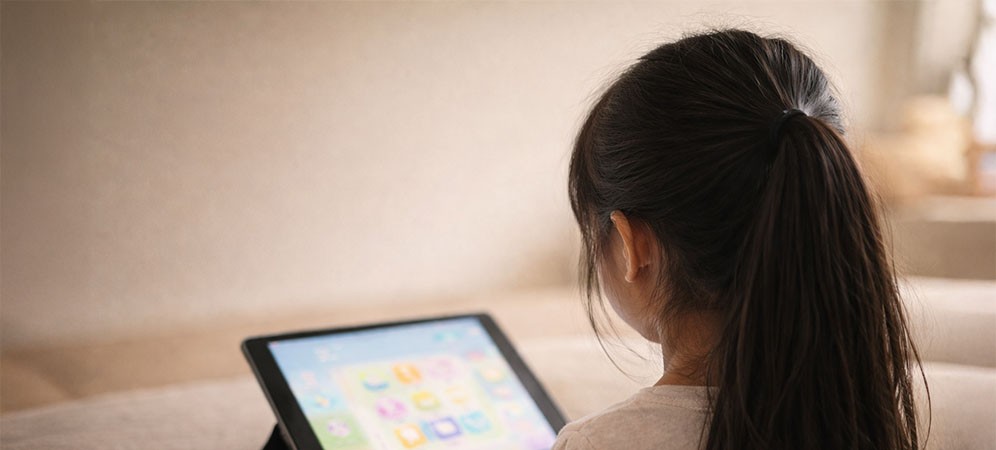
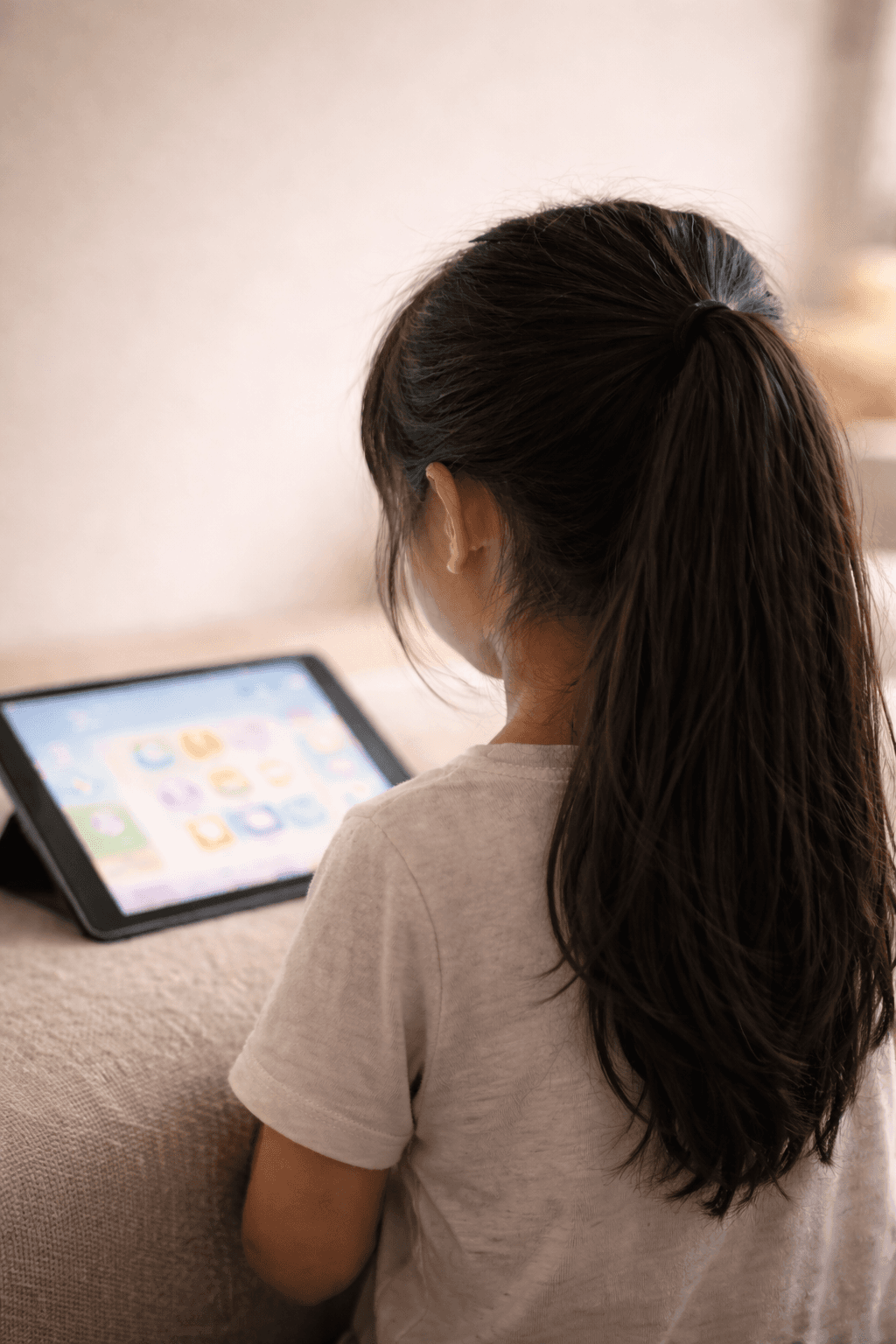
I still remember watching my daughter lose interest in learning apps. Each time she sighed, I felt that familiar mix of curiosity and frustration — why couldn’t learning feel more playful?
I still remember watching my daughter lose interest in learning apps. Each time she sighed, I felt that familiar mix of curiosity and frustration — why couldn’t learning feel more playful?
Insights
Insights
I set out to understand IF OTHER FAMILIES FACED THE SAME PROBLEM
It turned out my experience wasn't unique.
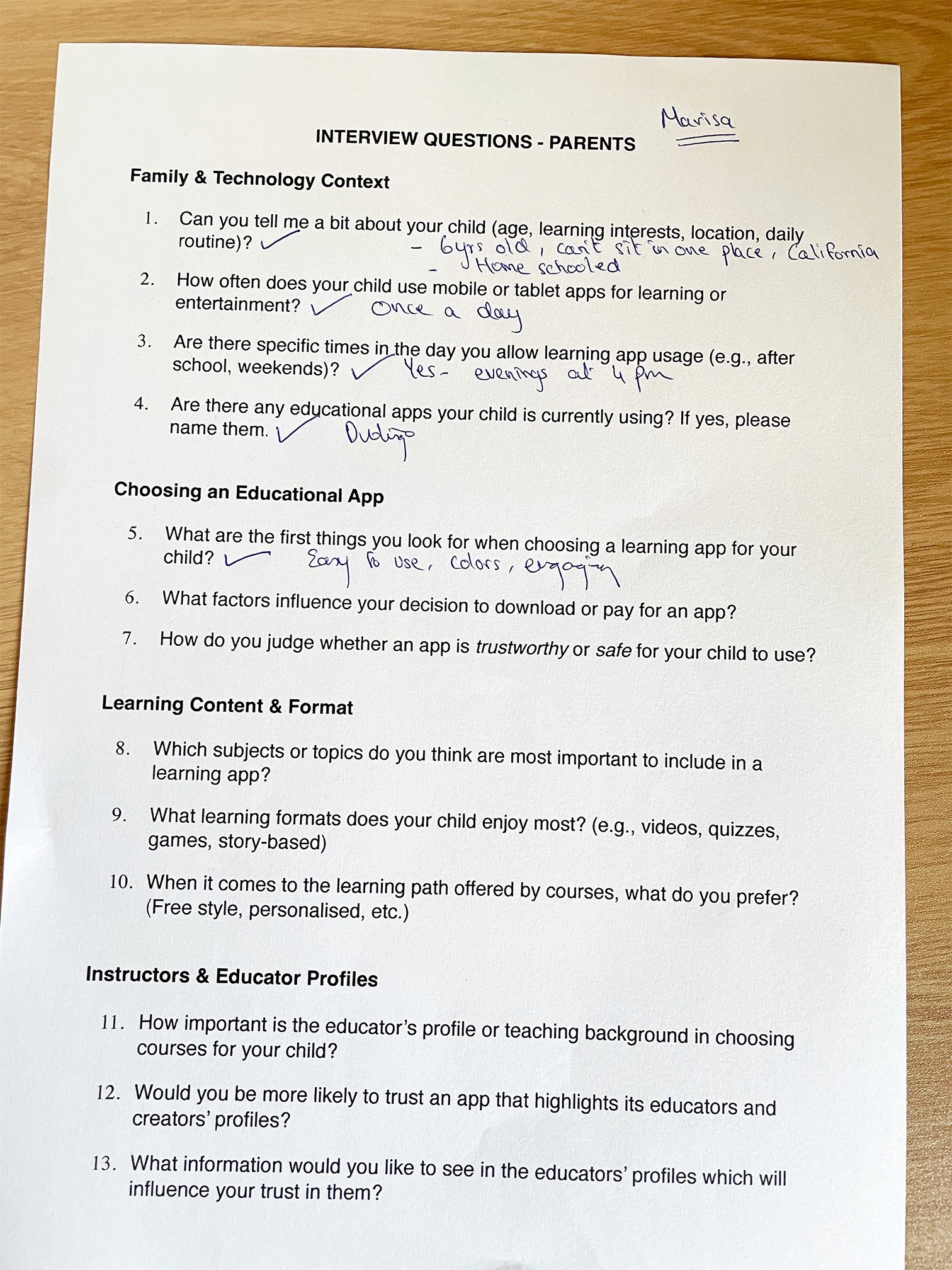
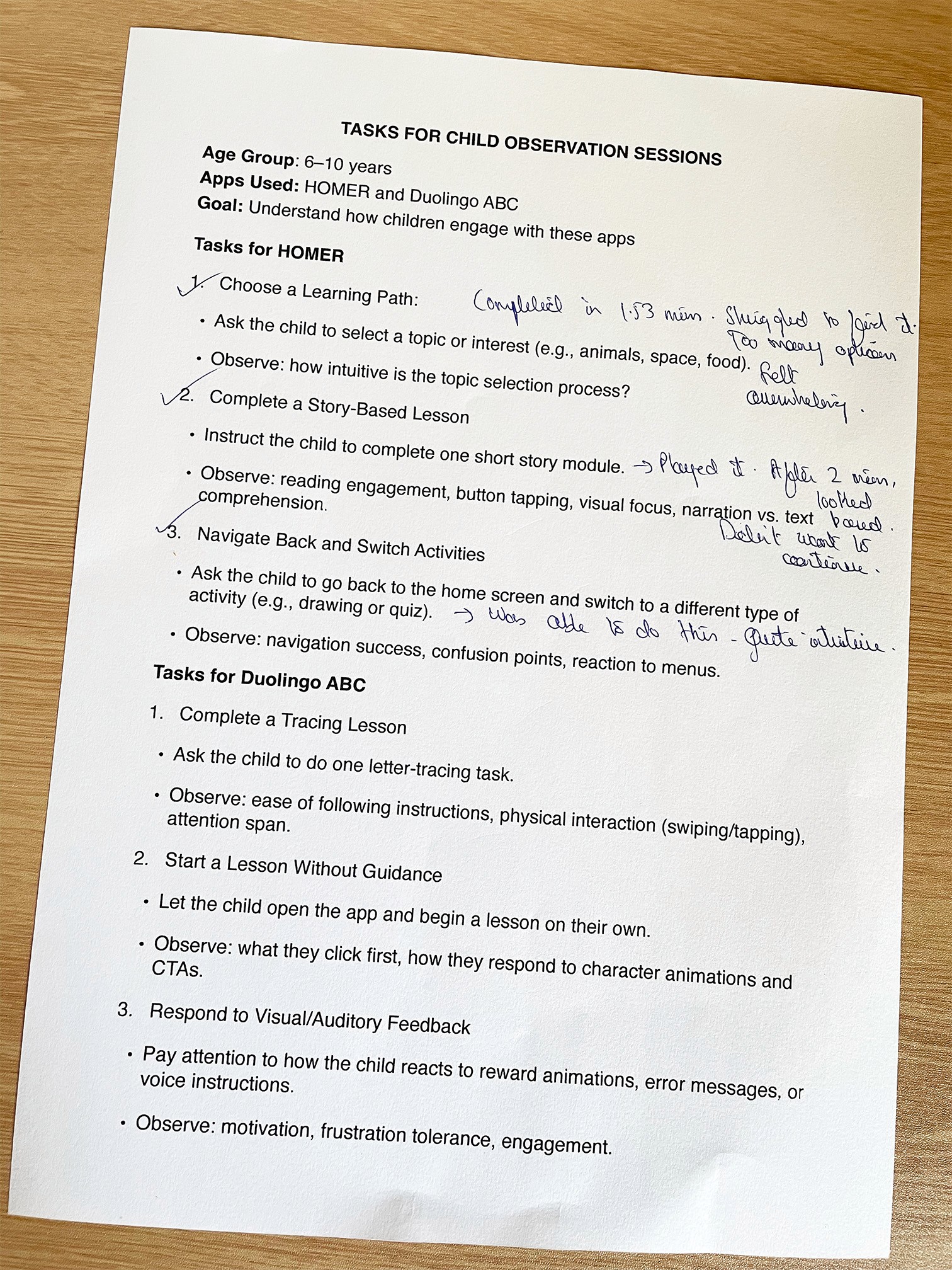
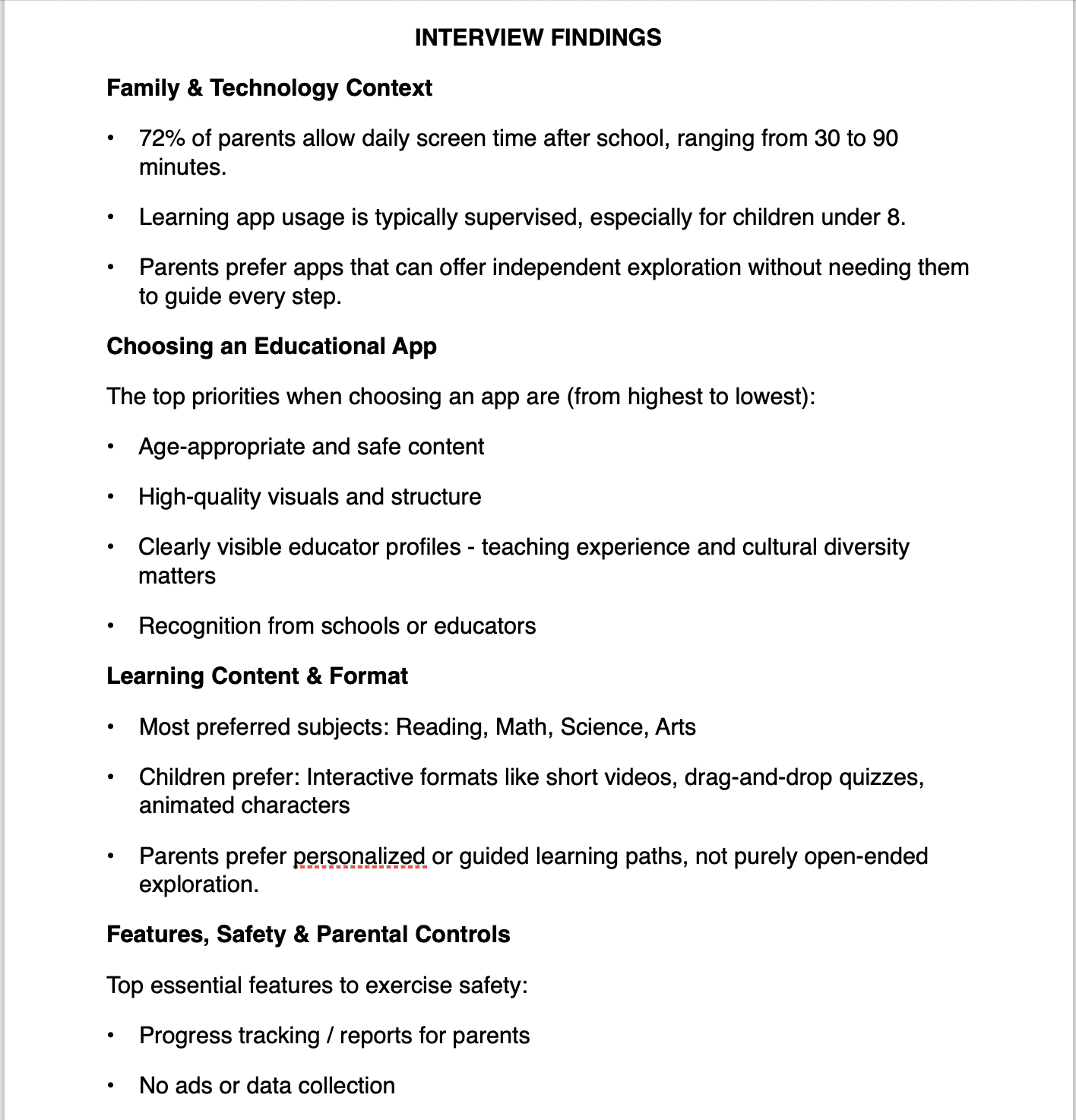
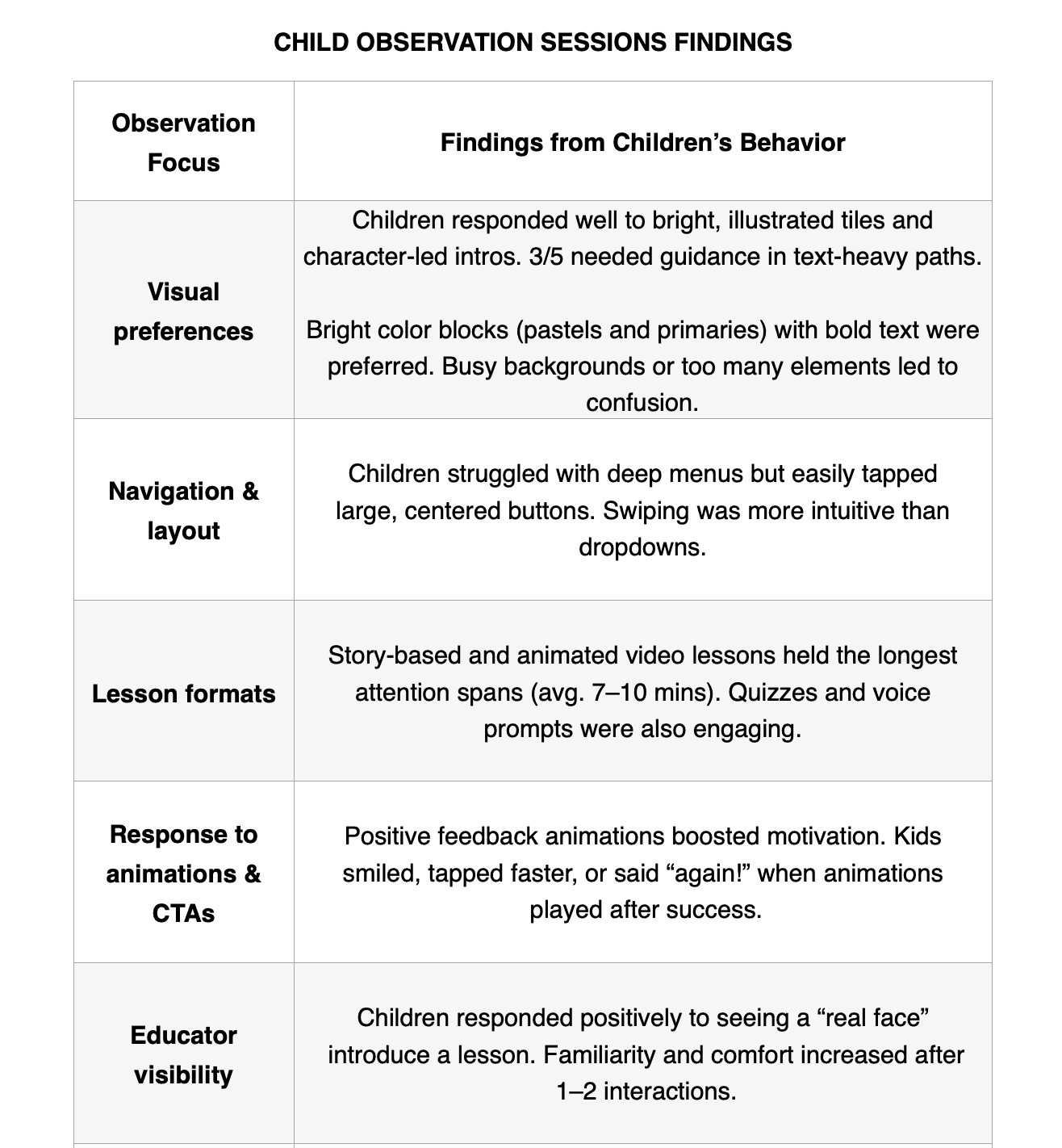
I interviewed parents from diverse cultural backgrounds and observed children (ages 4–10) as they navigated these apps.
It turned out my experience wasn't unique.
I interviewed parents from diverse cultural backgrounds and observed children (ages 4–10) as they navigated these apps.
Many parents found learning apps either too busy, too basic, or too hard to trust.
Children, on the other hand, said things like “Too many words make me sleepy” and “I want to click things that move.”
It turned out my experience wasn’t unique — most parents and children felt the same way.
Many parents described current learning apps as “either too busy or too basic.”
One parent, Sharon, said, “My son clicks everything because there’s no clear order — it’s chaos on screen.”
Children, on the other hand, said things like “Too many words make me sleepy” and “I want to click things that move.”
I also noticed that competitors’ apps mostly used engaging animations but lacked content depth and simple navigation.
I identified the core friction: “Children lose interest when learning feels like work, and parents lose trust when the design feels confusing or unreliable”
Many parents found learning apps either too busy, too basic, or too hard to trust.
Children, on the other hand, said things like “Too many words make me sleepy” and “I want to click things that move.”
My Approach
My Approach
USER PERSONAS
SARA gets frustrated when apps are busy and hard to navigate
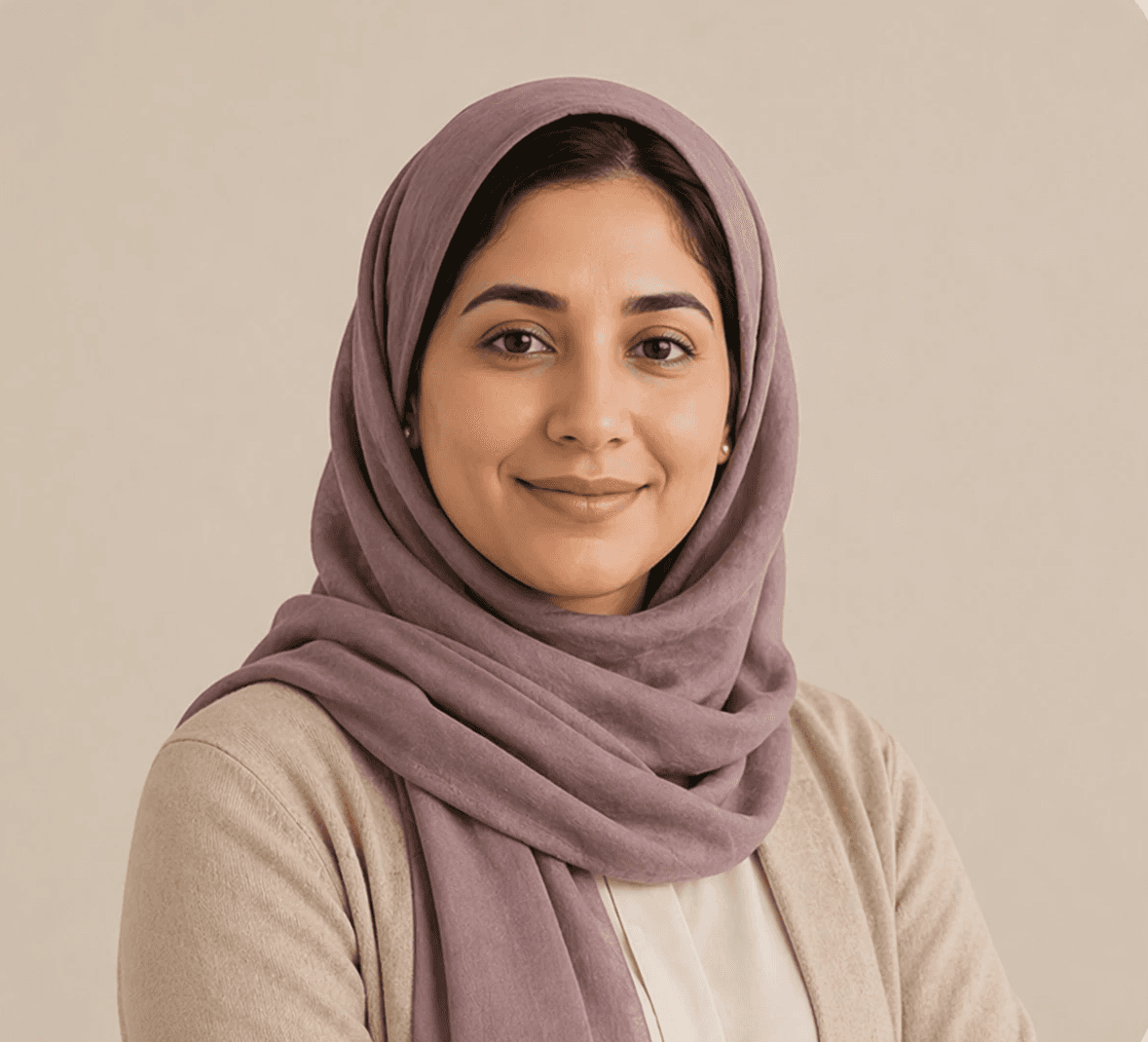
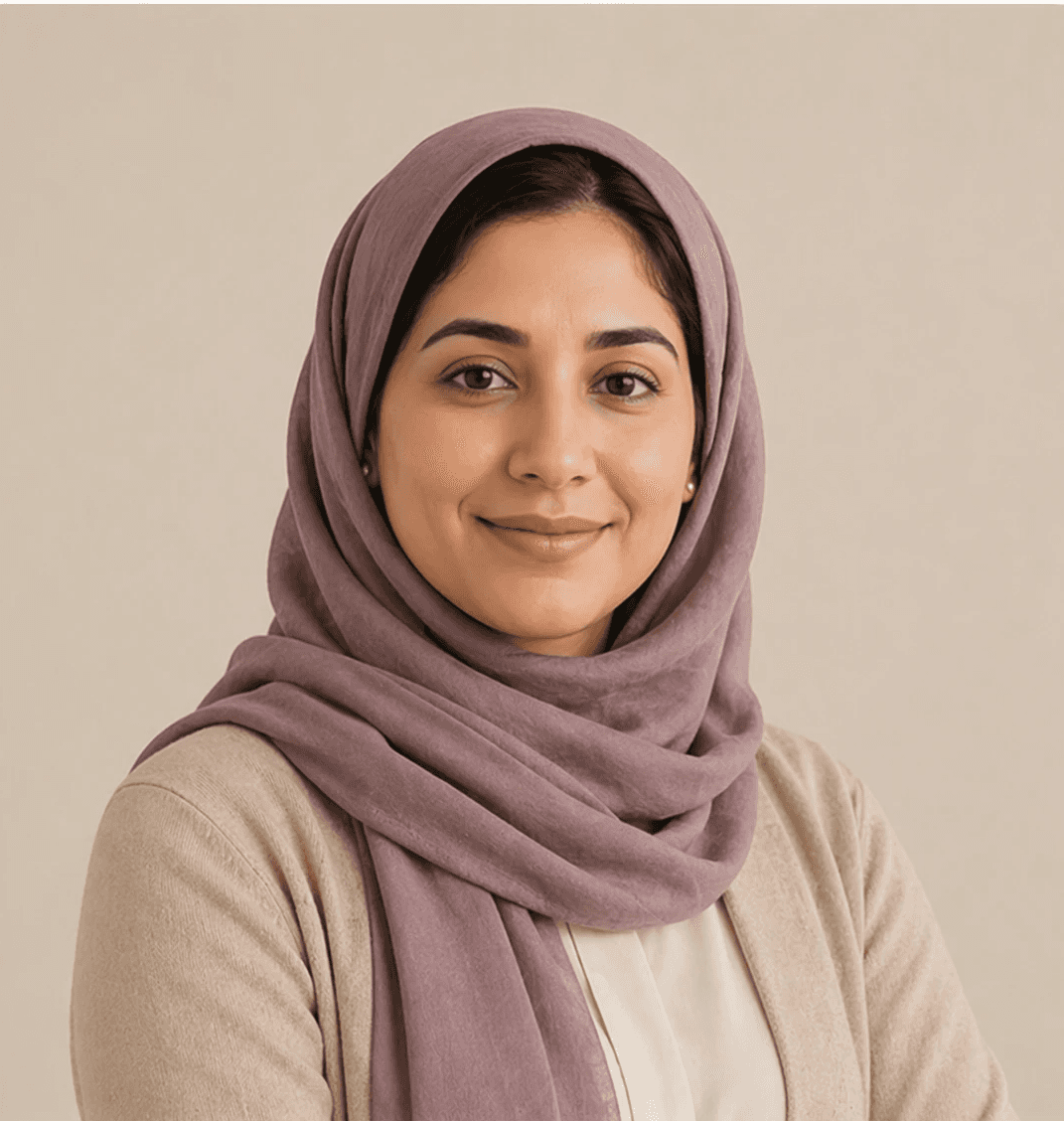
She is a mum of two children in primary school.
Sara prefers apps that make learning a fun process.
Based on my user research, I created a persona named Ayaan. He is a curious 7-year-old who loves exploring apps on his tablet.
He’s quick to tap and explore, but here’s his problem: He loses focus the moment learning starts to feel like a chore.
Through Ayaan’s journey, I noticed how quickly excitement turns into confusion.
What Ayaan needed was structure that still felt like play, so he can continue to learn and explore.
Sara gets frustrated when apps are busy and hard to navigate.
She is a mum of two children in primary school.
Sara prefers apps that make learning a fun process.
Maria loses interest when learning feels boring and repetitive
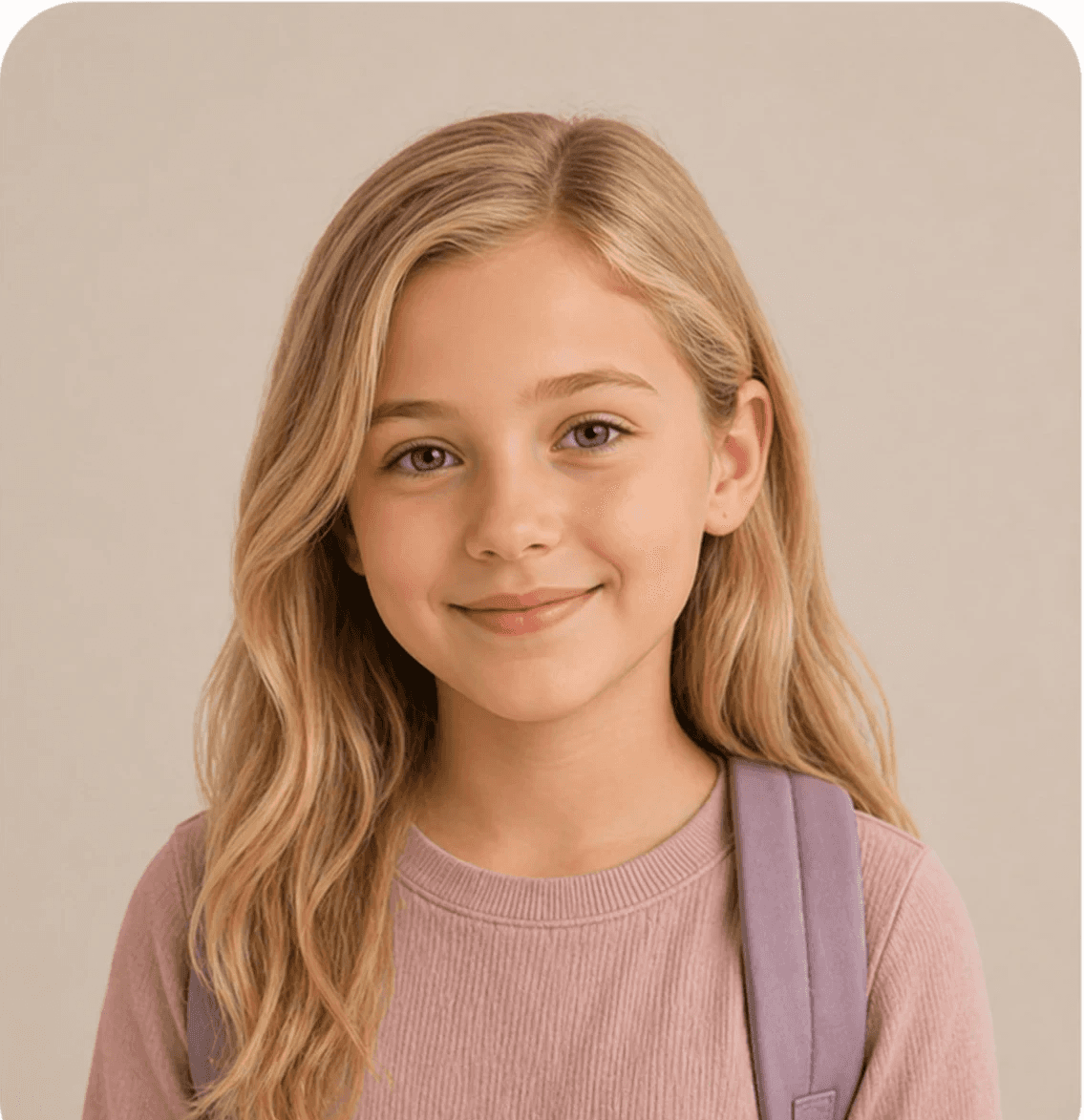
She is 8 years old and studies in Year 3.
Maria enjoys colorful, interactive lessons that feel fun and rewarding.
Kenji hates it when apps are too complicated for young learners to use without help

He is a primary school teacher.
He wants access to apps that are interactive and easy-to-use.

Maria loses interest when learning feels boring and repetitive
She is 8 years old and studies in Year 3.
Maria enjoys colorful, interactive lessons that feel fun and rewarding.
Based on my user research, I created a persona named Ayaan. He is a curious 7-year-old who loves exploring apps on his tablet.
He’s quick to tap and explore, but here’s his problem: He loses focus the moment learning starts to feel like a chore.
Through Ayaan’s journey, I noticed how quickly excitement turns into confusion.
What Ayaan needed was structure that still felt like play, so he can continue to learn and explore.

KENJI HATES IT WHEN APPS ARE TOO COMPLICATED FOR YOUNG LEARNERS TO USE WITHOUT HELP
He is a primary school teacher.
He wants access to apps that are interactive and easy-to-use.
Based on my user research, I created a persona named Ayaan. He is a curious 7-year-old who loves exploring apps on his tablet.
He’s quick to tap and explore, but here’s his problem: He loses focus the moment learning starts to feel like a chore.
Through Ayaan’s journey, I noticed how quickly excitement turns into confusion.
What Ayaan needed was structure that still felt like play, so he can continue to learn and explore.
USER FLOWS AND INFORMATION ARCHITECTURE
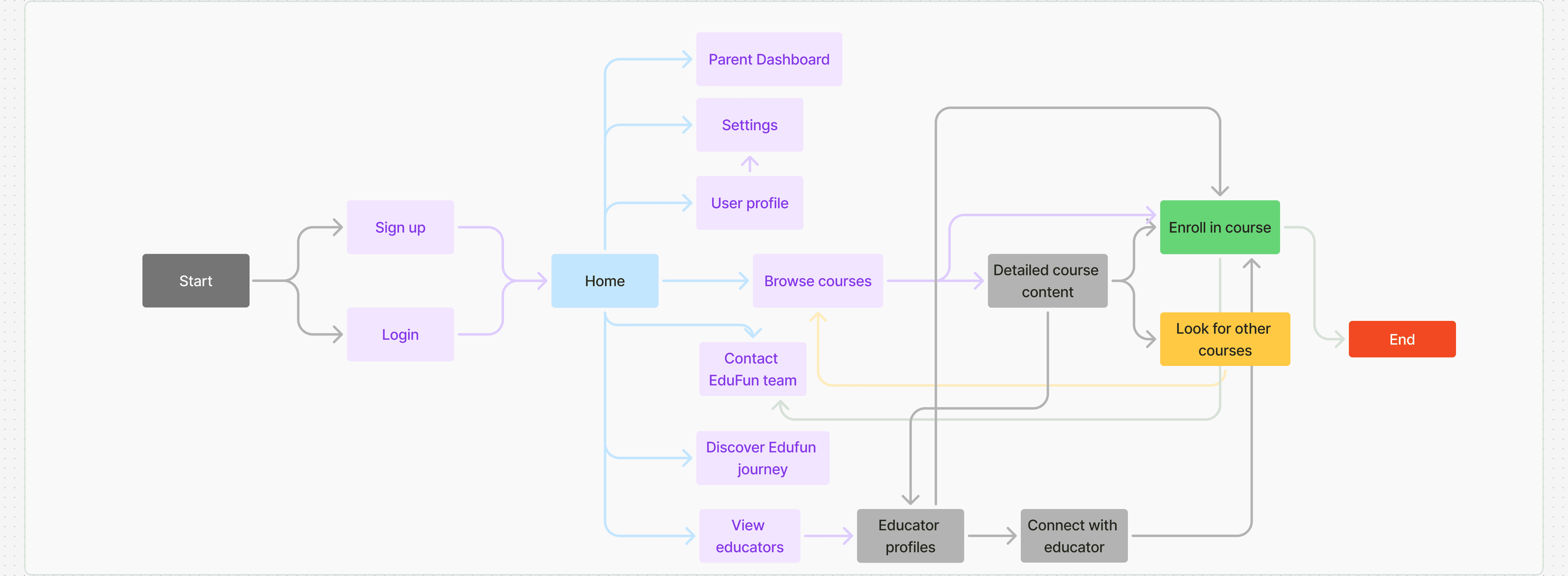
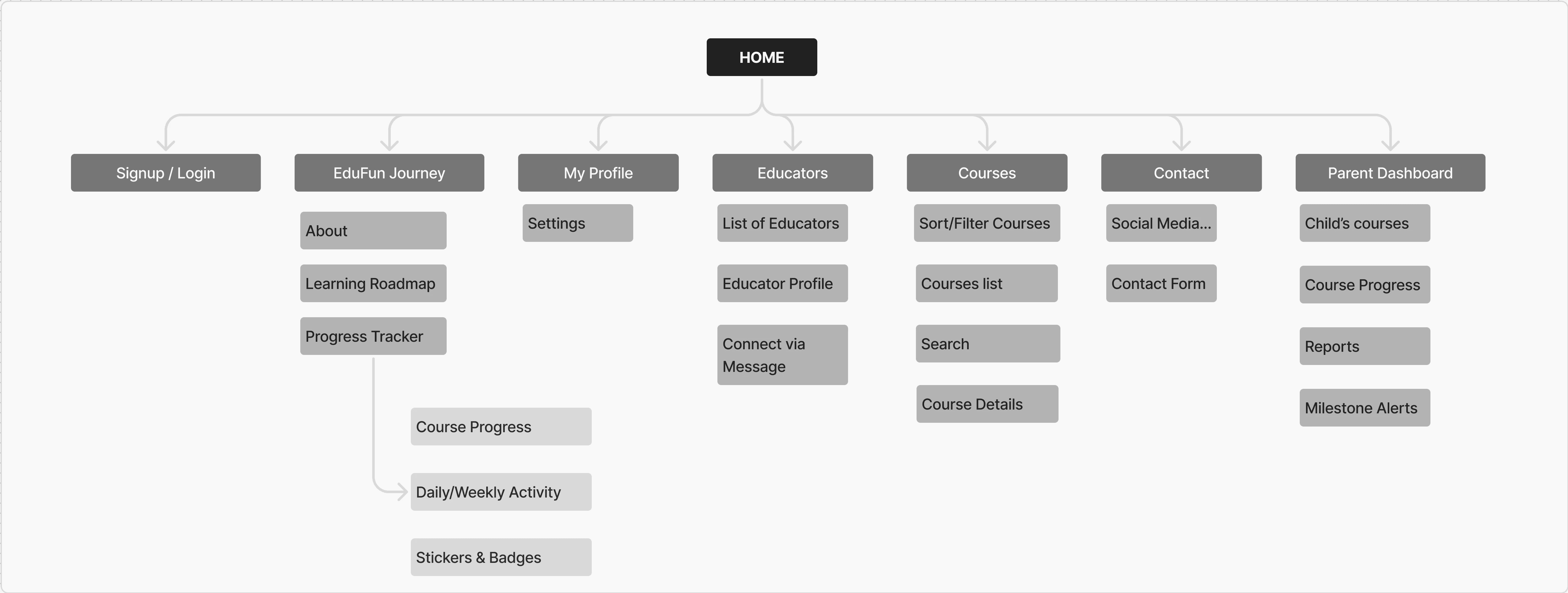
I started with user flows to map how both parents and children would move through the app with ease.
I started with user flows to map how both parents and children would move through the app with ease.
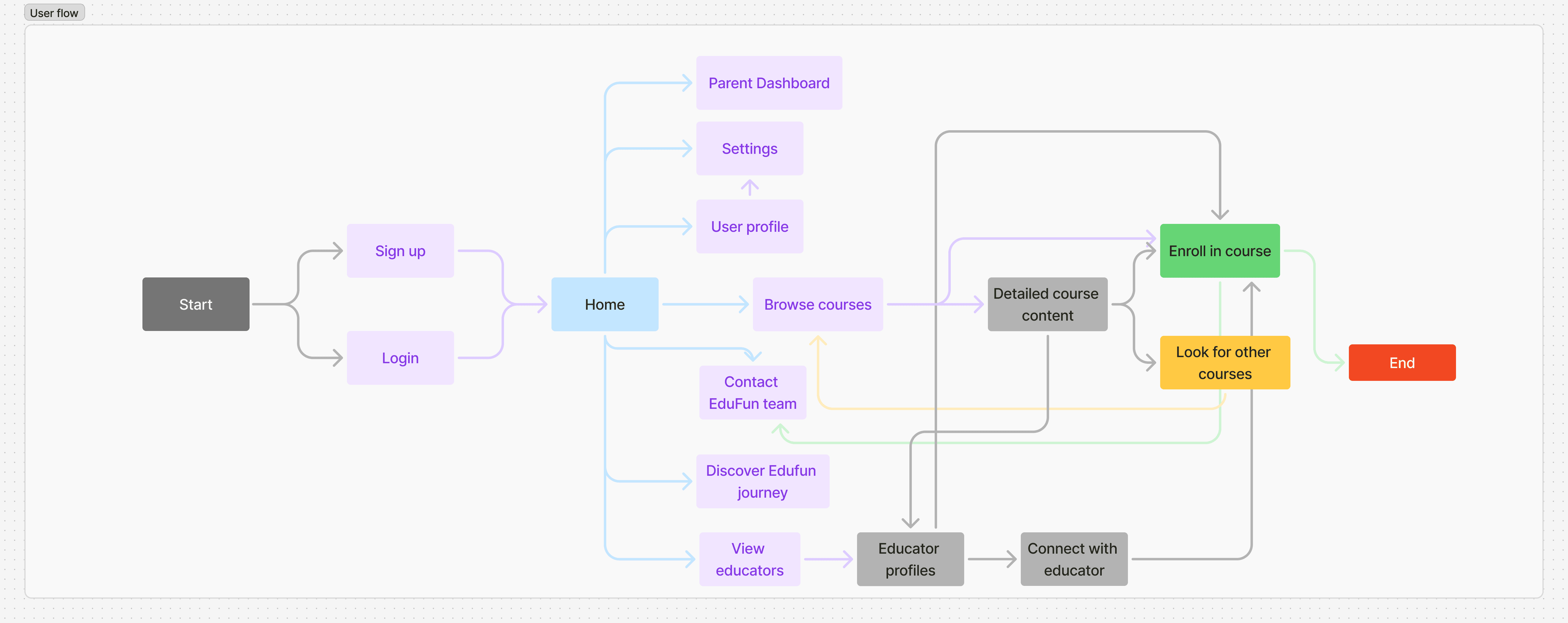
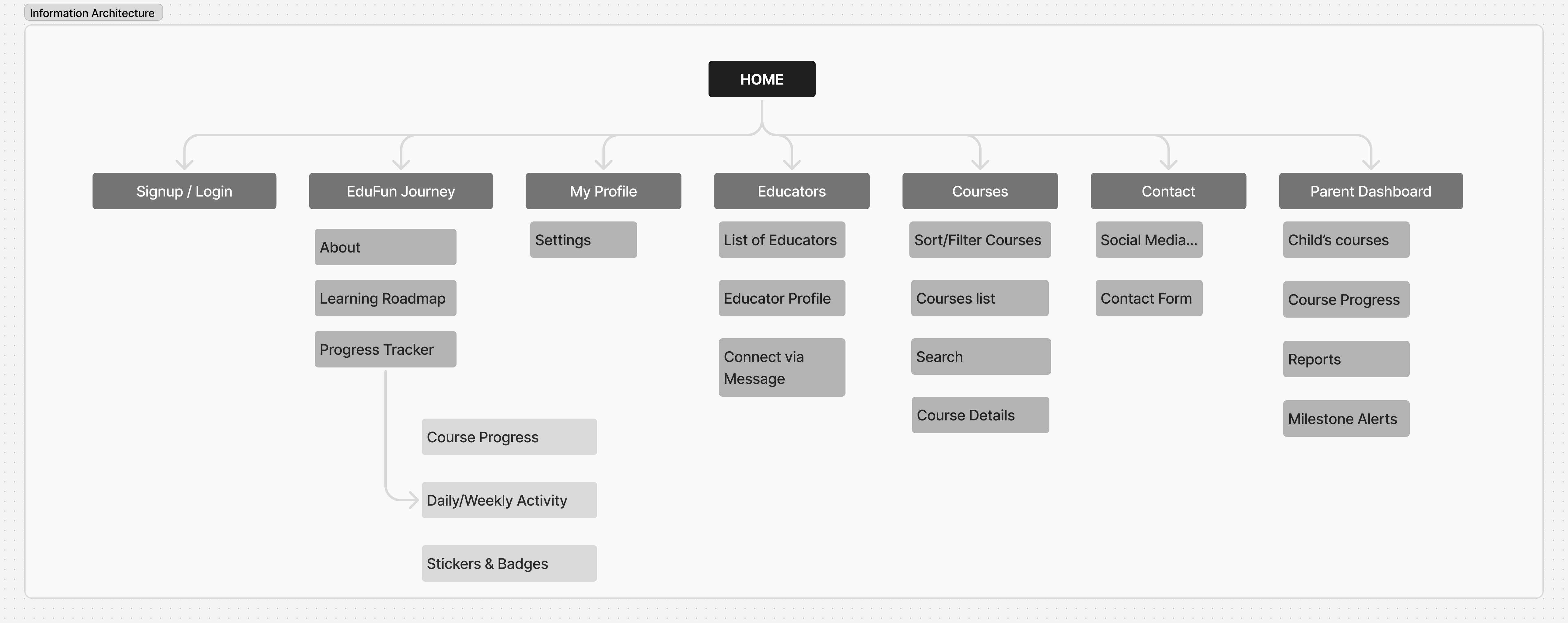
I organised the app to feel clear for parents and easy for children
I organised the app to feel clear for parents and easy for children
Solution
Solution
Wireframes
LOW-FIDELITY WIREFRAMES
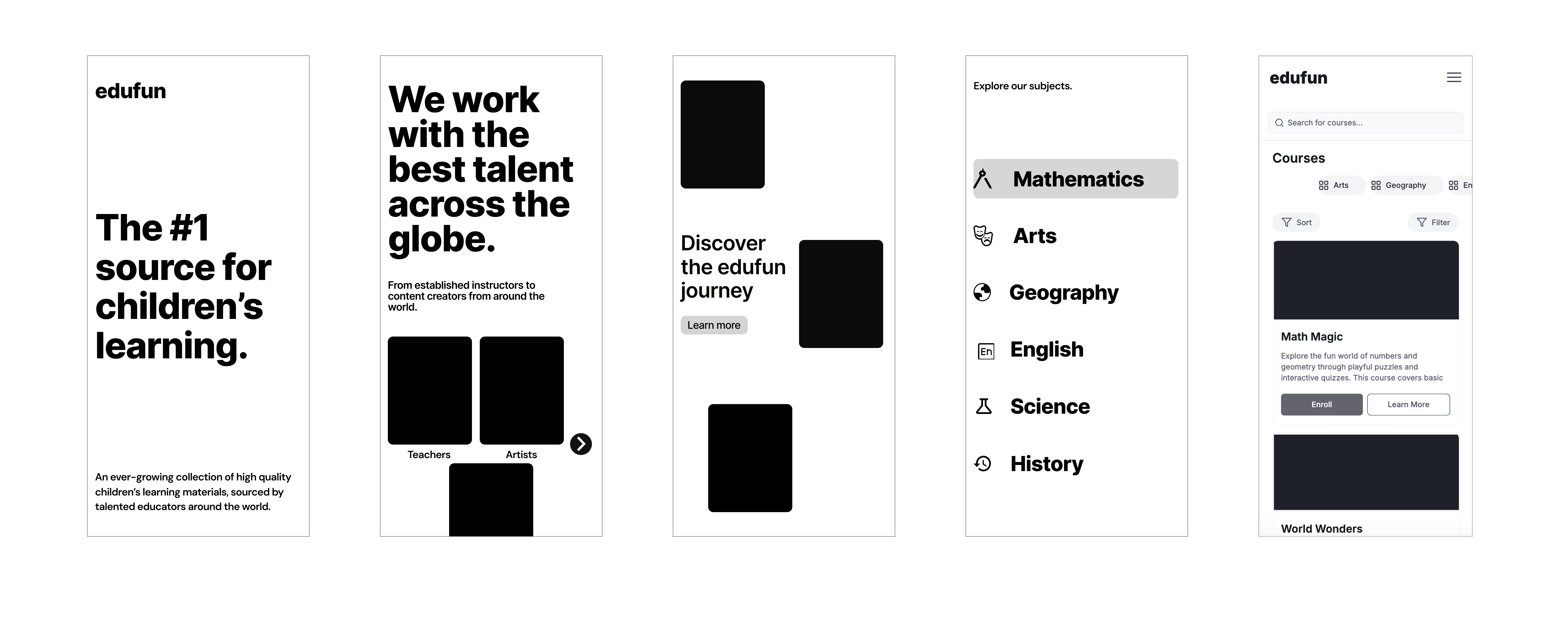
Low-fidelity wireframes helped me refine ideas quickly. They were tested with a small group of parents and children before investing time in polished visuals.
Low-fidelity wireframes helped me refine ideas quickly. They were tested with a small group of parents and children before investing time in polished visuals.
WHAT I BUILT
Edufun's design system balanced playfulness and structure: a cheerful color palette with carefully chosen typescales that kept content easy to read for parents and children.
I started by defining EduFun’s purpose: making learning feel inviting, not overwhelming.
Before features or lessons, I wanted users to understand the journey they were about to take.
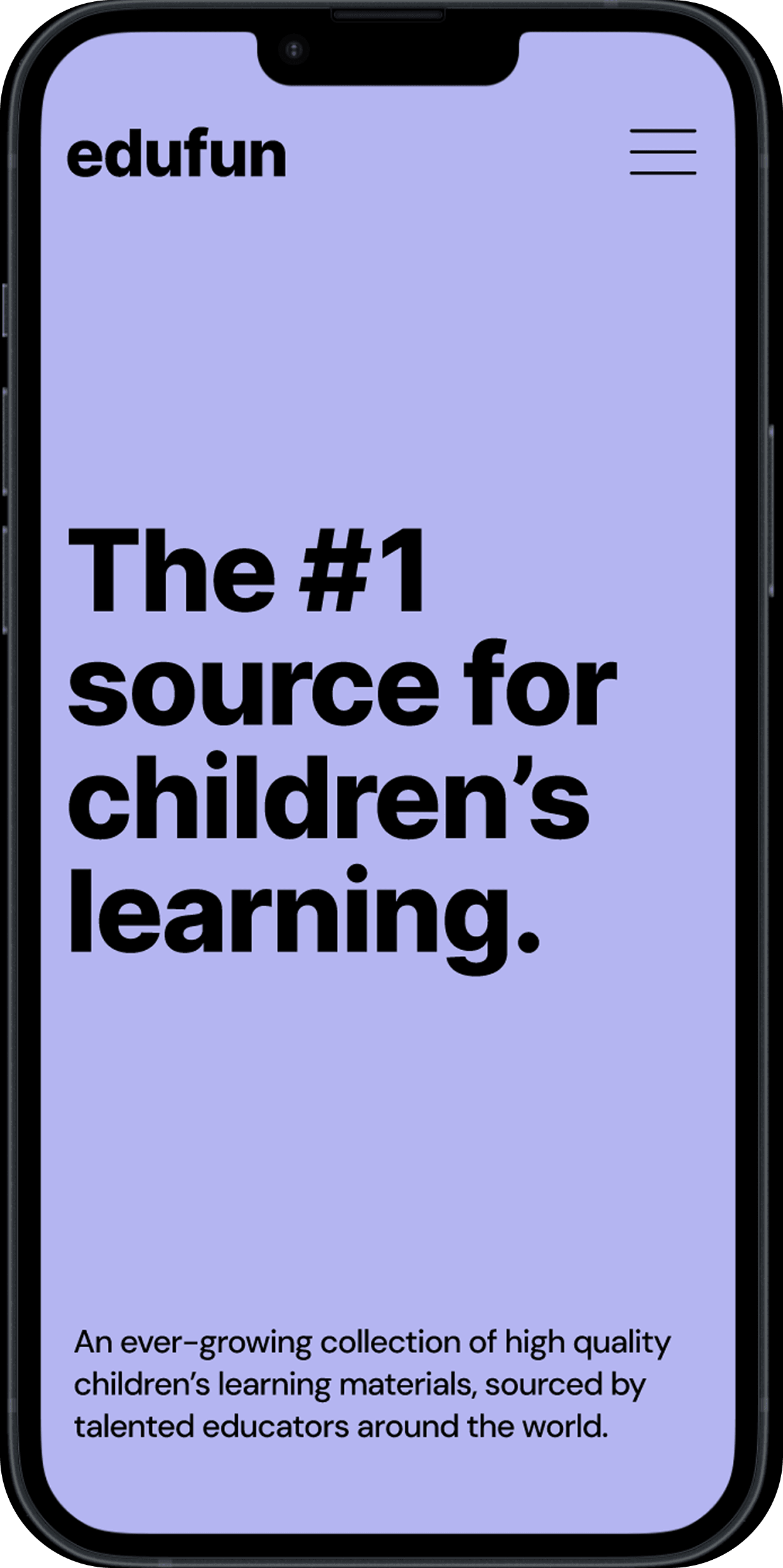
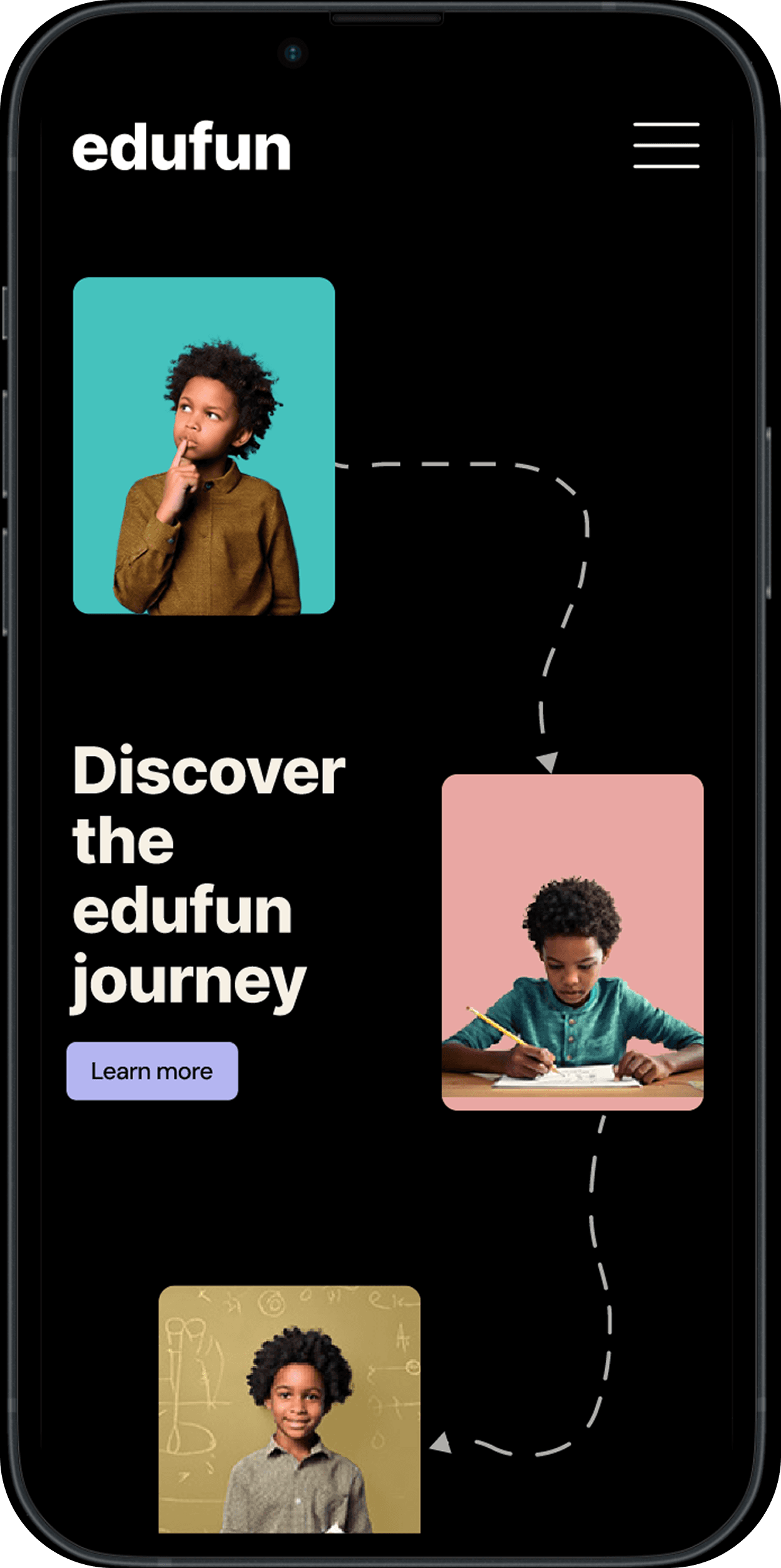
I started by defining EduFun’s purpose: making learning feel inviting, not overwhelming.
Before features or lessons, I wanted users to understand the journey they were about to take.
I started by defining EduFun’s purpose: making learning feel inviting, not overwhelming.
Before features or lessons, I wanted users to understand the journey they were about to take.
This is where EduFun becomes more personal — introducing the educators and tools supporting each child’s journey.
Parents can explore who’s teaching, track progress, or step into EduFun’s story.
This is where EduFun becomes more personal — introducing the educators and tools supporting each child’s journey.
Parents can explore who’s teaching, track progress, or step into EduFun’s story.
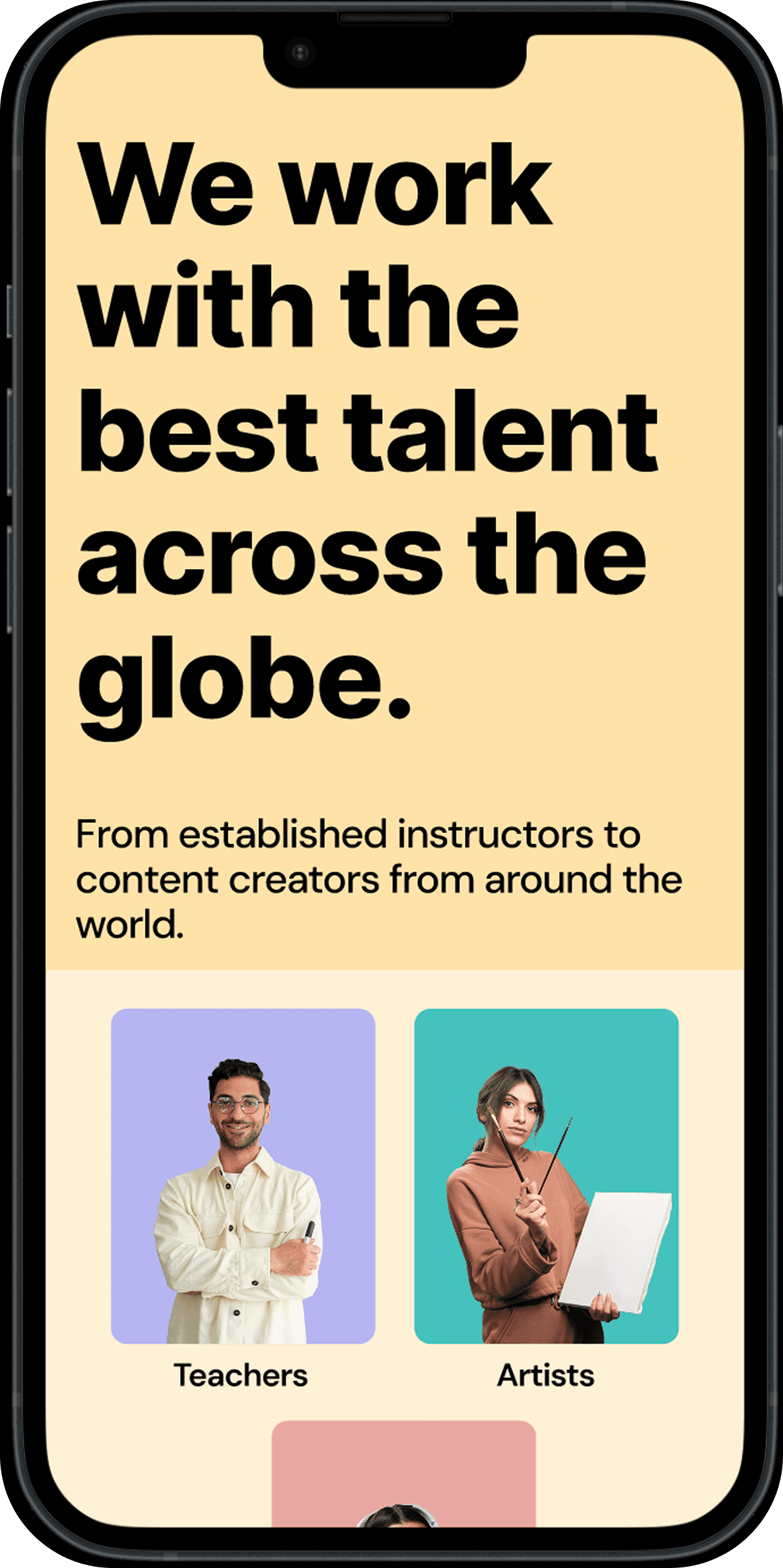
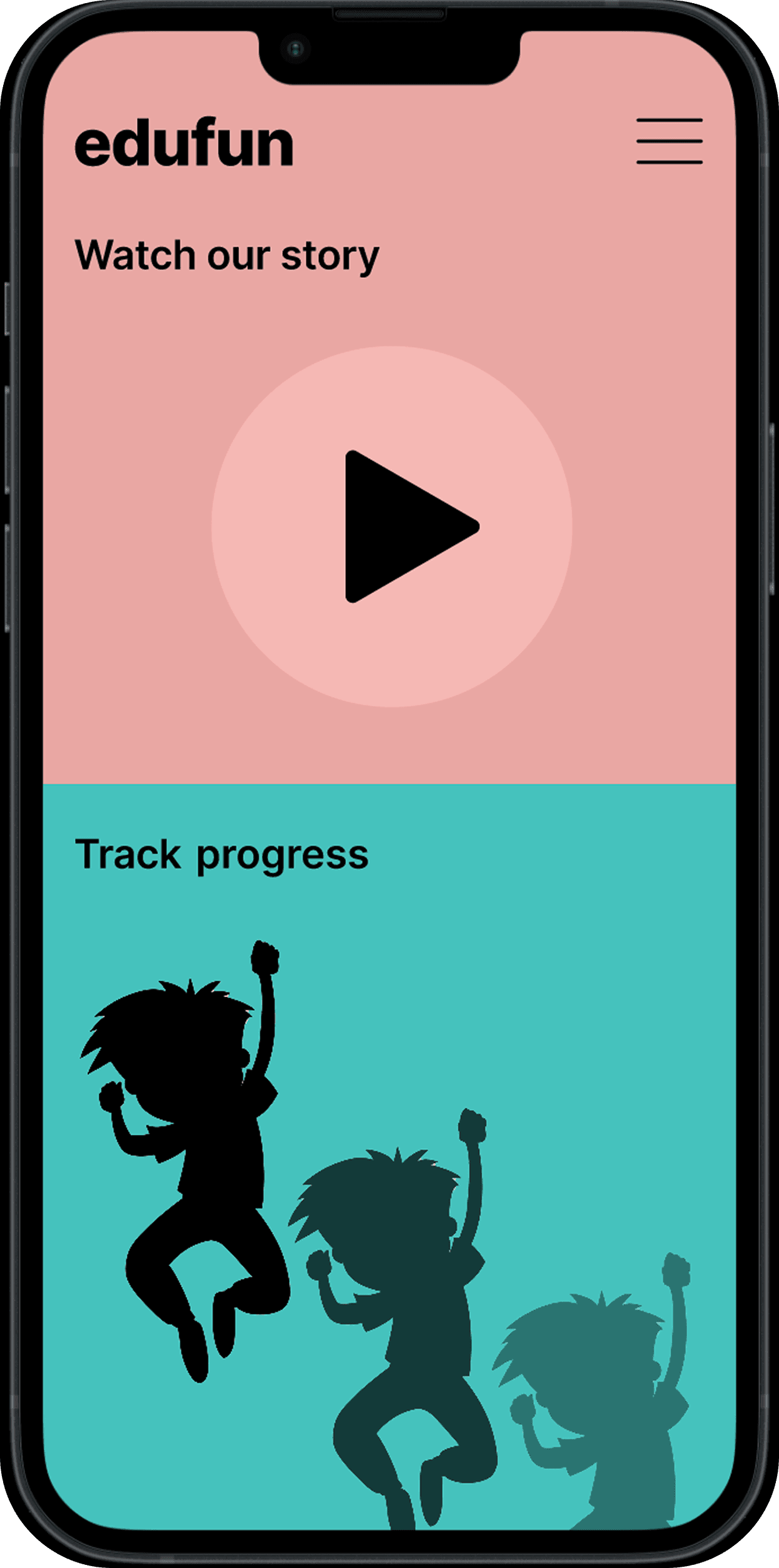
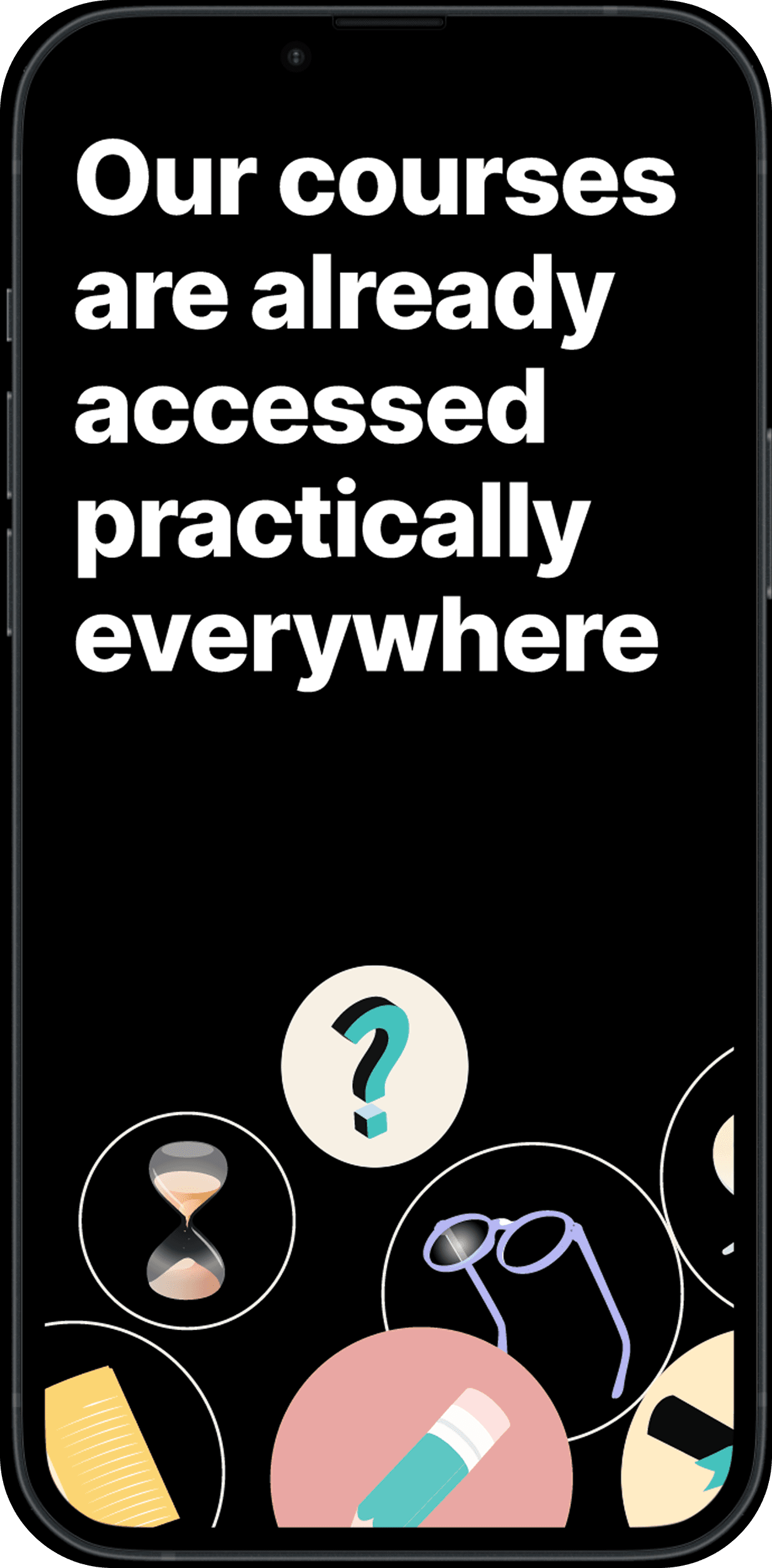
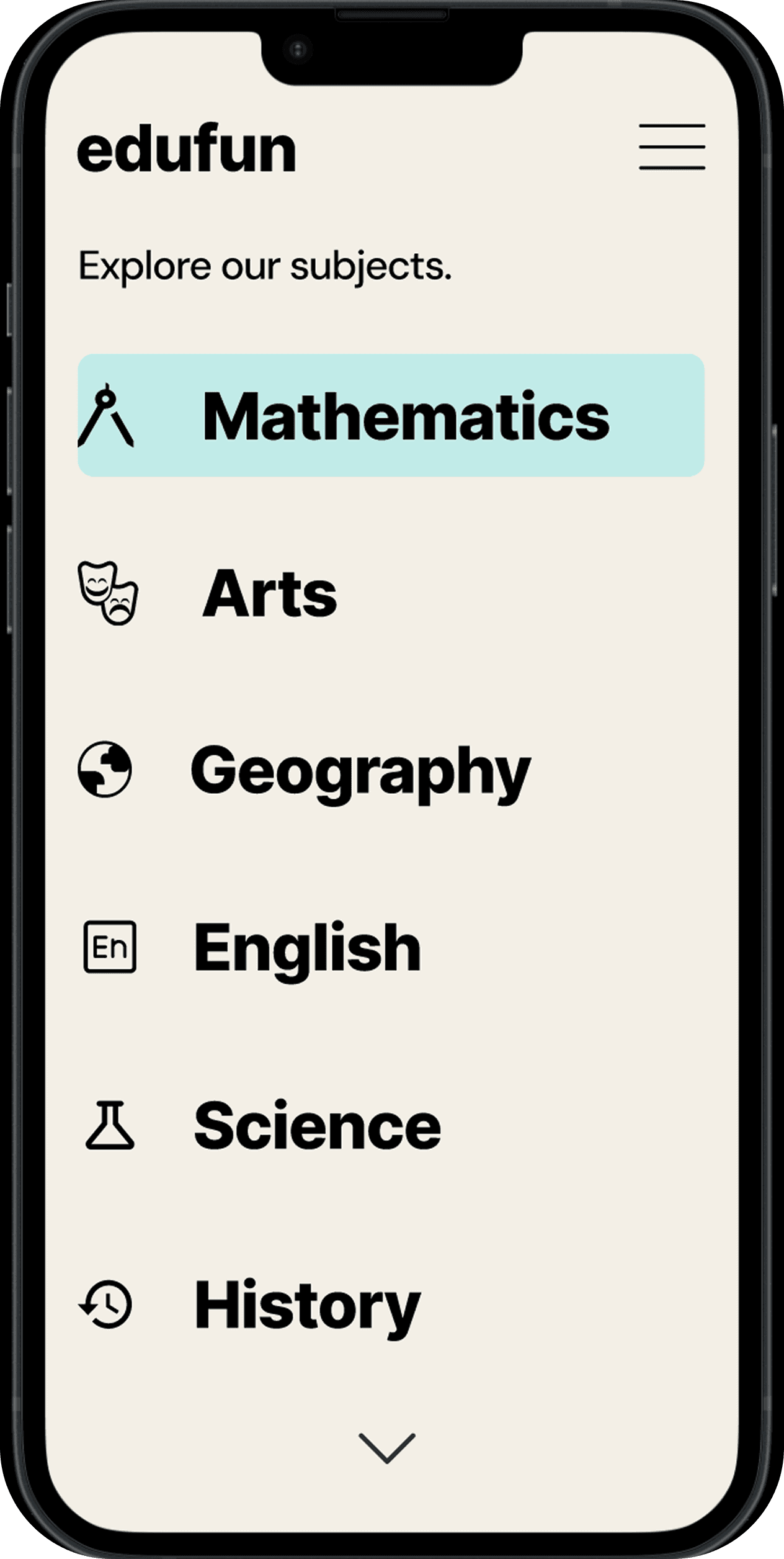
As users scroll, EduFun opens into a wide range of subjects, making it easy to explore what sparks a child’s curiosity.
The playful visuals reinforce that learning isn’t confined to one place - it can happen anywhere.
As users scroll, EduFun opens into a wide range of subjects, making it easy to explore what sparks a child’s curiosity.
The playful visuals reinforce that learning isn’t confined to one place - it can happen anywhere.
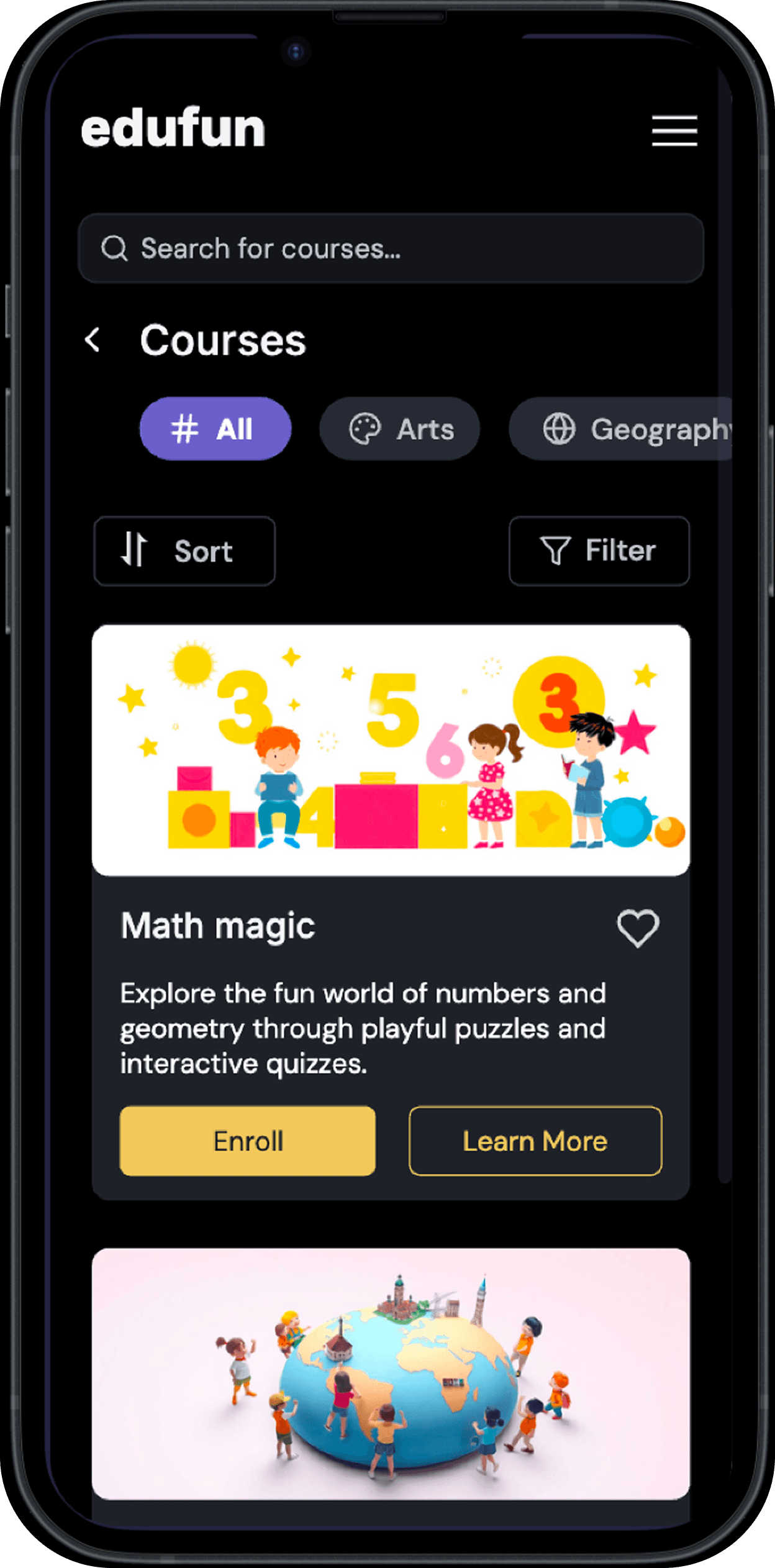
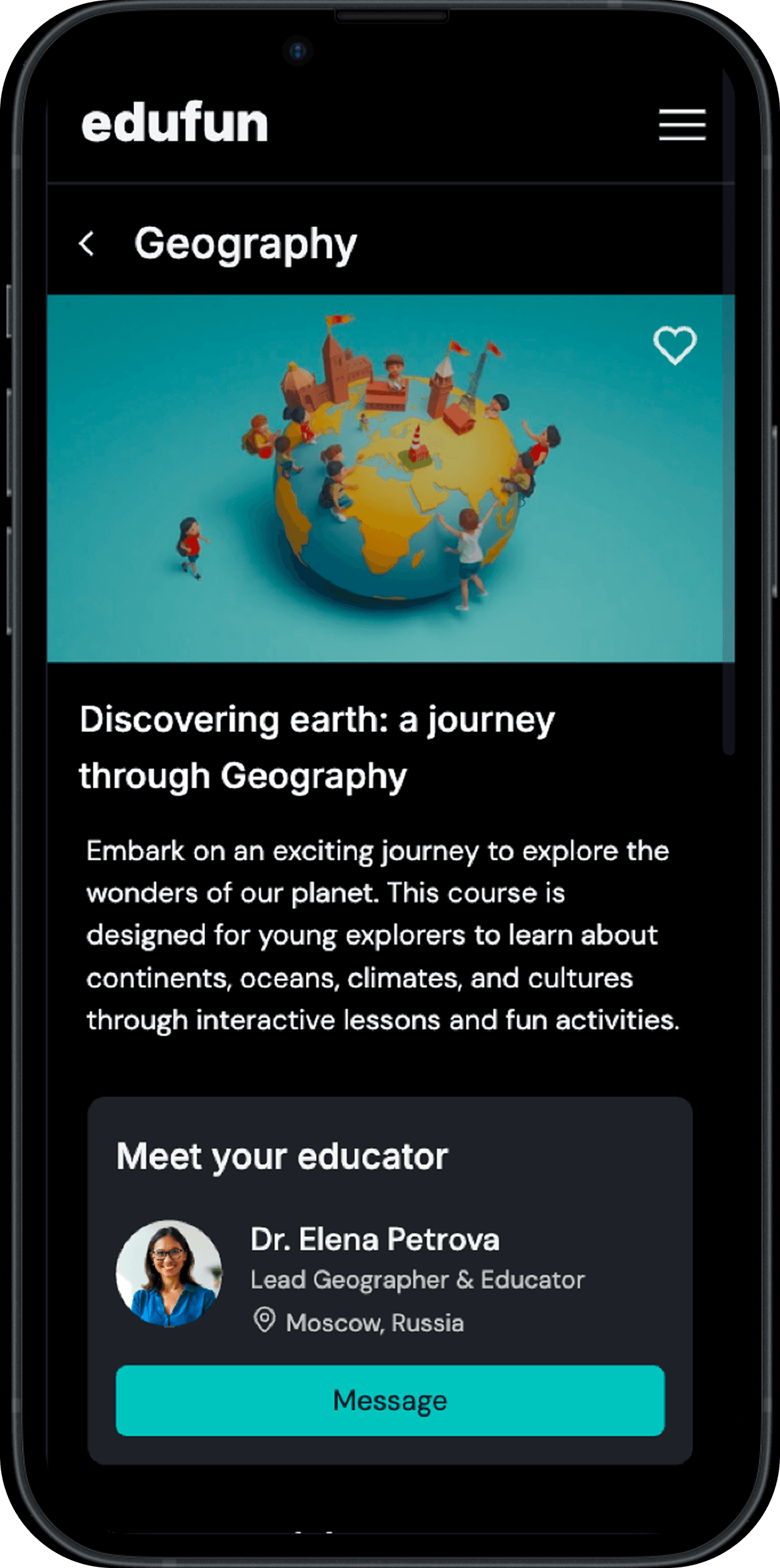
Browsing courses feels simple and familiar, allowing parents and children to explore what interests them.
Each course opens into clear details, making it easy to understand the content and connect directly with the educator behind it.
Browsing courses feels simple and familiar, allowing parents and children to explore what interests them.
Each course opens into clear details, making it easy to understand the content and connect directly with the educator behind it.
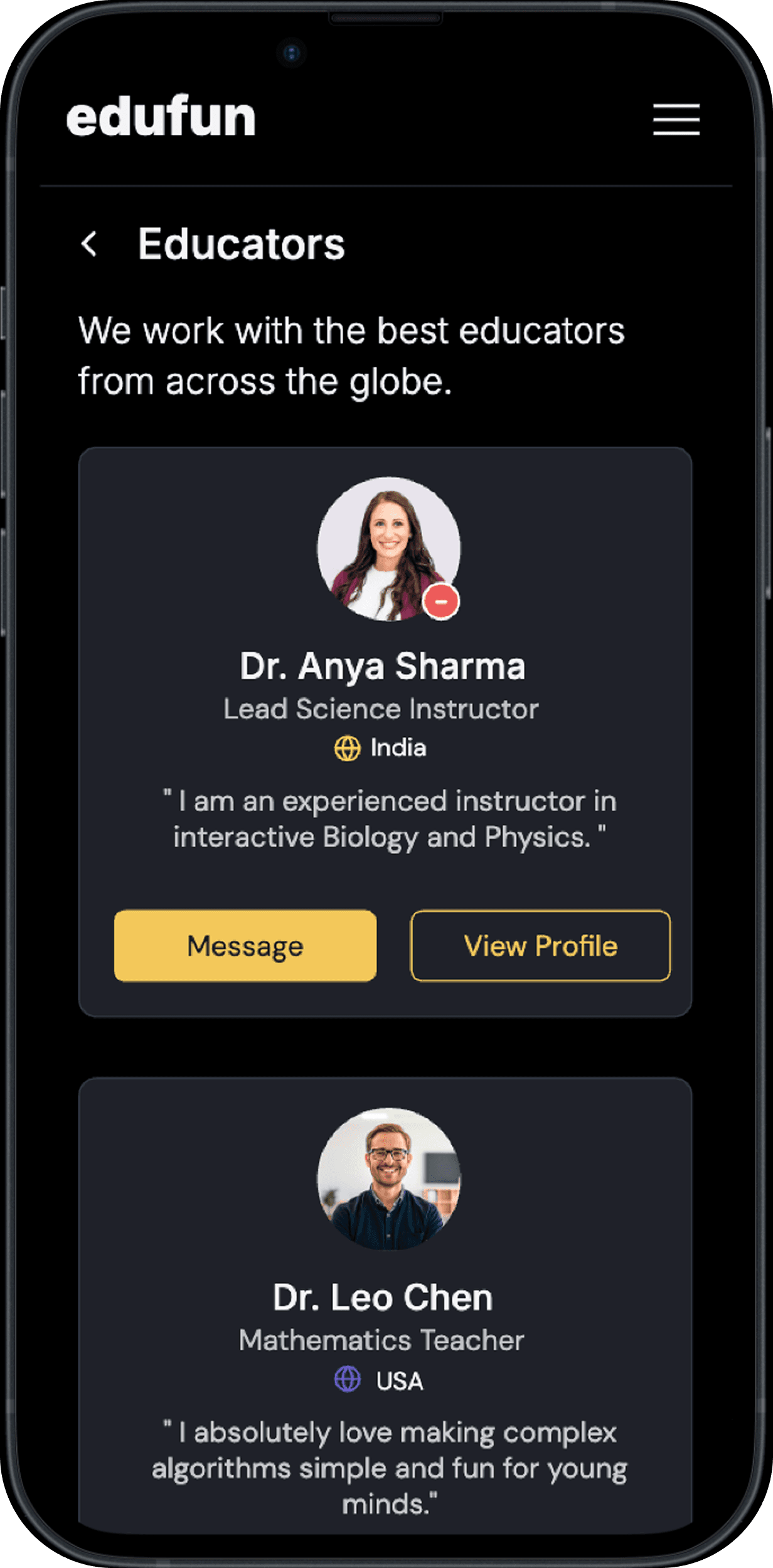
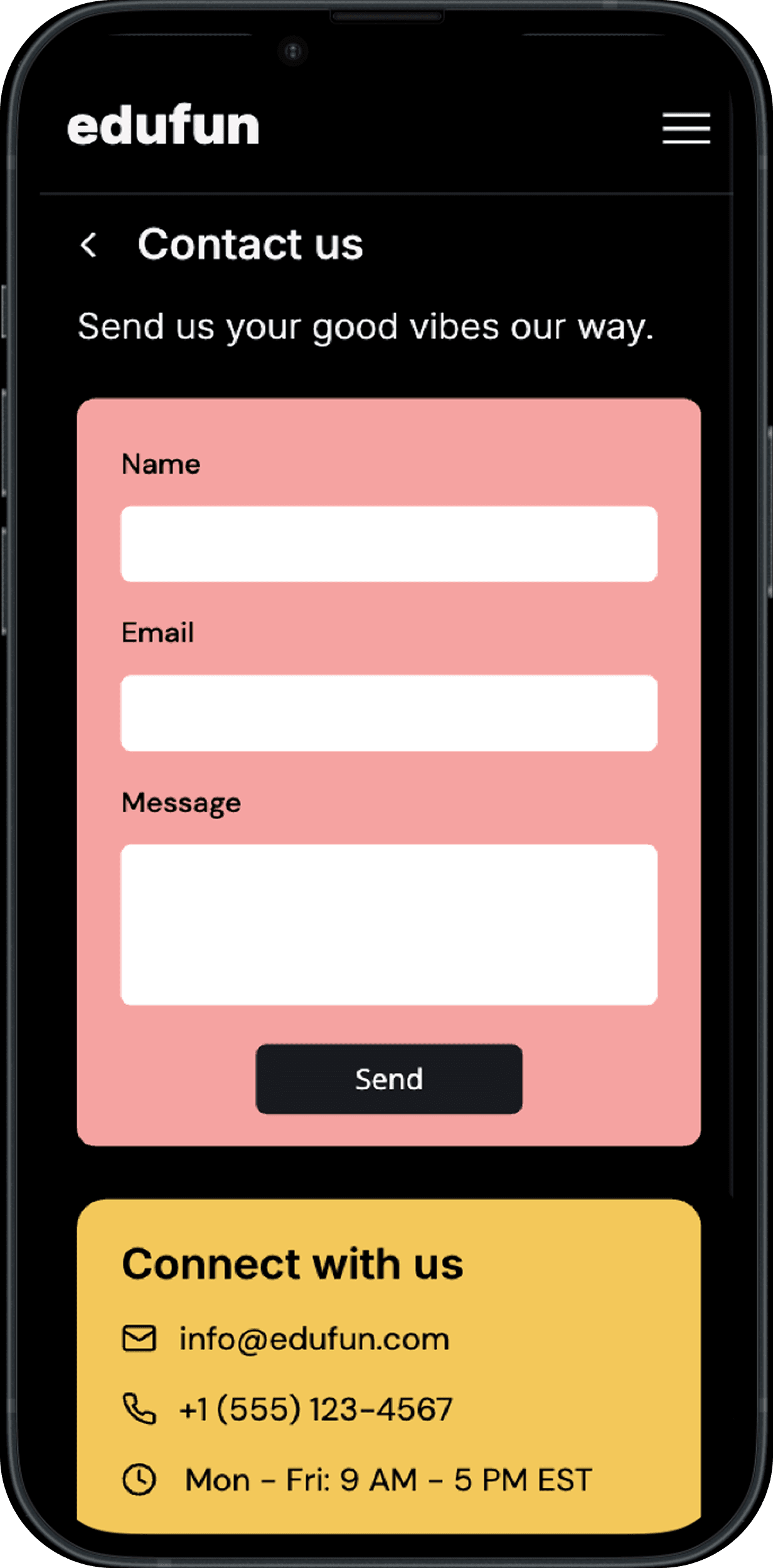
I wanted exploring educators to feel welcoming and easy, not intimidating.
Clear profiles, warm colors, and simple actions make it easy to reach instructors—or contact the team whenever support is needed.
I wanted exploring educators to feel welcoming and easy, not intimidating.
Clear profiles, warm colors, and simple actions make it easy to reach instructors—or contact the team whenever support is needed.
In the end, EduFun showed me how thoughtful research can turn a small frustration into a clearer, more engaging learning experience.
In the end, EduFun showed me how thoughtful research can turn a small frustration into a clearer, more engaging learning experience.
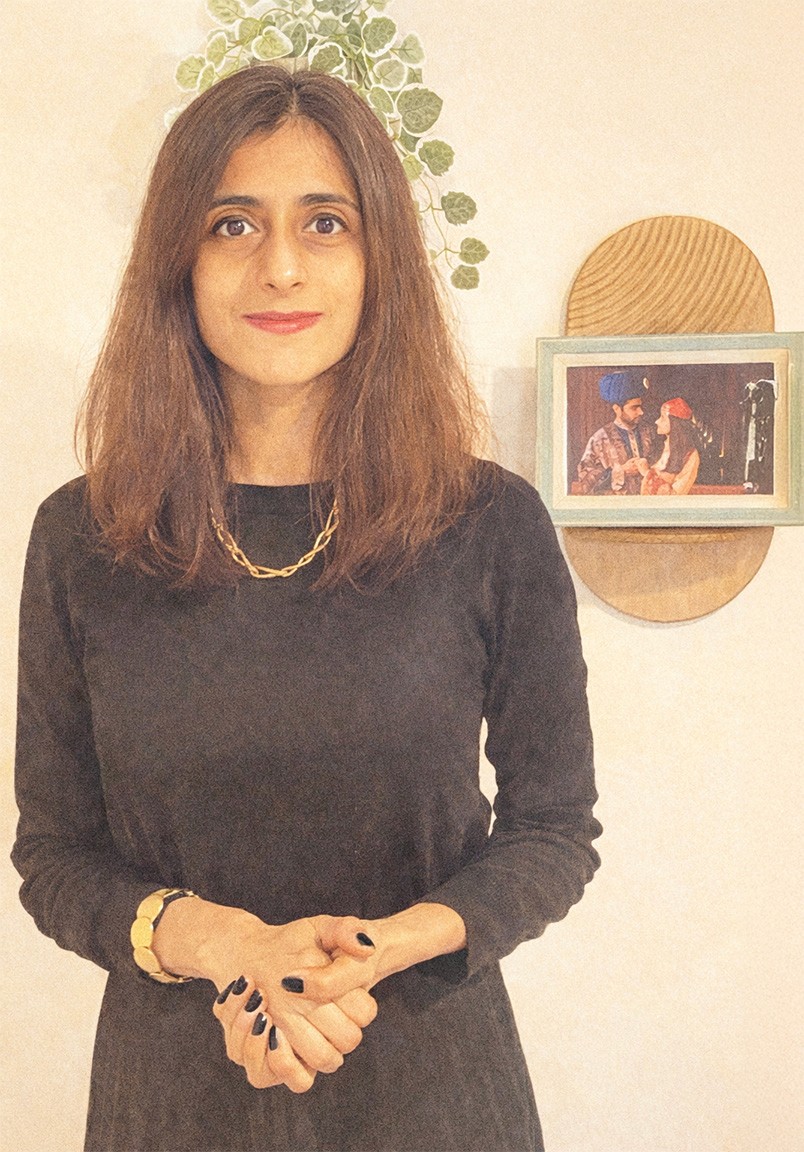
LOOKING FOR A PRODUCT DESIGNER?
If you are building something meaningful and need thoughtful design, I'd love to help.
If you are building something meaningful and need thoughtful design, I'd love to help.
EDUFUN
Designed a children's learning app after research showed kids disengaged within minutes and parents didn't trust what they saw.
Designed a children's learning app after research showed kids disengaged within minutes and parents didn't trust what they saw.
Designed a children's learning app after research showed kids disengaged within minutes and parents didn't trust what they saw.
TEAM
Me
DURATION
2 months
ROLE
ROLE
UX Designer
UX Designer
TOOLS
TOOLS
Figma, Uizard, Adobe Photoshop
Figma, Uizard, Adobe Photoshop
TEAM
Me
DURATION
2 months
Overview
Overview
WHAT'S THE PROBLEM?
I still remember watching my daughter lose interest in learning apps. Each time she sighed, I felt that familiar mix of curiosity and frustration — why couldn’t learning feel more playful?
I still remember watching my daughter lose interest in learning apps. Each time she sighed, I felt that familiar mix of curiosity and frustration — why couldn’t learning feel more playful?
Insights
Insights
I set out to understand IF OTHER FAMILIES FACED THE SAME PROBLEM
It turned out my experience wasn't unique.
I interviewed parents from diverse cultural backgrounds and observed children (ages 4–10) as they navigated these apps.
It turned out my experience wasn't unique.
I interviewed parents from diverse cultural backgrounds and observed children (ages 4–10) as they navigated these apps.
Many parents found learning apps either too busy, too basic, or too hard to trust.
Children, on the other hand, said things like “Too many words make me sleepy” and “I want to click things that move.”
It turned out my experience wasn’t unique — most parents and children felt the same way.
Many parents described current learning apps as “either too busy or too basic.”
One parent, Sharon, said, “My son clicks everything because there’s no clear order — it’s chaos on screen.”
Children, on the other hand, said things like “Too many words make me sleepy” and “I want to click things that move.”
I also noticed that competitors’ apps mostly used engaging animations but lacked content depth and simple navigation.
I identified the core friction: “Children lose interest when learning feels like work, and parents lose trust when the design feels confusing or unreliable”
Many parents found learning apps either too busy, too basic, or too hard to trust.
Children, on the other hand, said things like “Too many words make me sleepy” and “I want to click things that move.”
My Approach
My Approach
USER PERSONAS
SARA gets frustrated when apps are busy and hard to navigate
She is a mum of two children in primary school.
Sara prefers apps that make learning a fun process.
Based on my user research, I created a persona named Ayaan. He is a curious 7-year-old who loves exploring apps on his tablet.
He’s quick to tap and explore, but here’s his problem: He loses focus the moment learning starts to feel like a chore.
Through Ayaan’s journey, I noticed how quickly excitement turns into confusion.
What Ayaan needed was structure that still felt like play, so he can continue to learn and explore.
Sara gets frustrated when apps are busy and hard to navigate.
She is a mum of two children in primary school.
Sara prefers apps that make learning a fun process.
Maria loses interest when learning feels boring and repetitive
She is 8 years old and studies in Year 3.
Maria enjoys colorful, interactive lessons that feel fun and rewarding.
Kenji hates it when apps are too complicated for young learners to use without help
He is a primary school teacher.
He wants access to apps that are interactive and easy-to-use.
Maria loses interest when learning feels boring and repetitive
She is 8 years old and studies in Year 3.
Maria enjoys colorful, interactive lessons that feel fun and rewarding.
Based on my user research, I created a persona named Ayaan. He is a curious 7-year-old who loves exploring apps on his tablet.
He’s quick to tap and explore, but here’s his problem: He loses focus the moment learning starts to feel like a chore.
Through Ayaan’s journey, I noticed how quickly excitement turns into confusion.
What Ayaan needed was structure that still felt like play, so he can continue to learn and explore.
KENJI HATES IT WHEN APPS ARE TOO COMPLICATED FOR YOUNG LEARNERS TO USE WITHOUT HELP
He is a primary school teacher.
He wants access to apps that are interactive and easy-to-use.
Based on my user research, I created a persona named Ayaan. He is a curious 7-year-old who loves exploring apps on his tablet.
He’s quick to tap and explore, but here’s his problem: He loses focus the moment learning starts to feel like a chore.
Through Ayaan’s journey, I noticed how quickly excitement turns into confusion.
What Ayaan needed was structure that still felt like play, so he can continue to learn and explore.
USER FLOWS AND INFORMATION ARCHITECTURE
I started with user flows to map how both parents and children would move through the app with ease.
I started with user flows to map how both parents and children would move through the app with ease.
I organised the app to feel clear for parents and easy for children
I organised the app to feel clear for parents and easy for children
Solution
Solution
Wireframes
LOW-FIDELITY WIREFRAMES
Low-fidelity wireframes helped me refine ideas quickly. They were tested with a small group of parents and children before investing time in polished visuals.
Low-fidelity wireframes helped me refine ideas quickly. They were tested with a small group of parents and children before investing time in polished visuals.
WHAT I BUILT
Edufun's design system balanced playfulness and structure: a cheerful color palette with carefully chosen typescales that kept content easy to read for parents and children.
I started by defining EduFun’s purpose: making learning feel inviting, not overwhelming.
Before features or lessons, I wanted users to understand the journey they were about to take.
I started by defining EduFun’s purpose: making learning feel inviting, not overwhelming.
Before features or lessons, I wanted users to understand the journey they were about to take.
I started by defining EduFun’s purpose: making learning feel inviting, not overwhelming.
Before features or lessons, I wanted users to understand the journey they were about to take.
This is where EduFun becomes more personal — introducing the educators and tools supporting each child’s journey.
Parents can explore who’s teaching, track progress, or step into EduFun’s story.
This is where EduFun becomes more personal — introducing the educators and tools supporting each child’s journey.
Parents can explore who’s teaching, track progress, or step into EduFun’s story.
As users scroll, EduFun opens into a wide range of subjects, making it easy to explore what sparks a child’s curiosity.
The playful visuals reinforce that learning isn’t confined to one place - it can happen anywhere.
As users scroll, EduFun opens into a wide range of subjects, making it easy to explore what sparks a child’s curiosity.
The playful visuals reinforce that learning isn’t confined to one place - it can happen anywhere.
Browsing courses feels simple and familiar, allowing parents and children to explore what interests them.
Each course opens into clear details, making it easy to understand the content and connect directly with the educator behind it.
Browsing courses feels simple and familiar, allowing parents and children to explore what interests them.
Each course opens into clear details, making it easy to understand the content and connect directly with the educator behind it.
I wanted exploring educators to feel welcoming and easy, not intimidating.
Clear profiles, warm colors, and simple actions make it easy to reach instructors—or contact the team whenever support is needed.
I wanted exploring educators to feel welcoming and easy, not intimidating.
Clear profiles, warm colors, and simple actions make it easy to reach instructors—or contact the team whenever support is needed.
In the end, EduFun showed me how thoughtful research can turn a small frustration into a clearer, more engaging learning experience.
In the end, EduFun showed me how thoughtful research can turn a small frustration into a clearer, more engaging learning experience.
LOOKING FOR A PRODUCT DESIGNER?
If you are building something meaningful and need thoughtful design, I'd love to help.
If you are building something meaningful and need thoughtful design, I'd love to help.
EDUFUN
Designed a children's learning app after research showed kids disengaged within minutes and parents didn't trust what they saw.
Designed a children's learning app after research showed kids disengaged within minutes and parents didn't trust what they saw.
Designed a children's learning app after research showed kids disengaged within minutes and parents didn't trust what they saw.
TEAM
Me
DURATION
2 months
ROLE
ROLE
UX Designer
UX Designer
TOOLS
TOOLS
Figma, Uizard, Adobe Photoshop
Figma, Uizard, Adobe Photoshop
TEAM
Me
DURATION
2 months
Overview
Overview
WHAT'S THE PROBLEM?
I still remember watching my daughter lose interest in learning apps. Each time she sighed, I felt that familiar mix of curiosity and frustration — why couldn’t learning feel more playful?
I still remember watching my daughter lose interest in learning apps. Each time she sighed, I felt that familiar mix of curiosity and frustration — why couldn’t learning feel more playful?
Insights
Insights
I set out to understand IF OTHER FAMILIES FACED THE SAME PROBLEM
It turned out my experience wasn't unique.
I interviewed parents from diverse cultural backgrounds and observed children (ages 4–10) as they navigated these apps.
It turned out my experience wasn't unique.
I interviewed parents from diverse cultural backgrounds and observed children (ages 4–10) as they navigated these apps.
Many parents found learning apps either too busy, too basic, or too hard to trust.
Children, on the other hand, said things like “Too many words make me sleepy” and “I want to click things that move.”
It turned out my experience wasn’t unique — most parents and children felt the same way.
Many parents described current learning apps as “either too busy or too basic.”
One parent, Sharon, said, “My son clicks everything because there’s no clear order — it’s chaos on screen.”
Children, on the other hand, said things like “Too many words make me sleepy” and “I want to click things that move.”
I also noticed that competitors’ apps mostly used engaging animations but lacked content depth and simple navigation.
I identified the core friction: “Children lose interest when learning feels like work, and parents lose trust when the design feels confusing or unreliable”
Many parents found learning apps either too busy, too basic, or too hard to trust.
Children, on the other hand, said things like “Too many words make me sleepy” and “I want to click things that move.”
My Approach
My Approach
USER PERSONAS
SARA gets frustrated when apps are busy and hard to navigate
She is a mum of two children in primary school.
Sara prefers apps that make learning a fun process.
Based on my user research, I created a persona named Ayaan. He is a curious 7-year-old who loves exploring apps on his tablet.
He’s quick to tap and explore, but here’s his problem: He loses focus the moment learning starts to feel like a chore.
Through Ayaan’s journey, I noticed how quickly excitement turns into confusion.
What Ayaan needed was structure that still felt like play, so he can continue to learn and explore.
Sara gets frustrated when apps are busy and hard to navigate.
She is a mum of two children in primary school.
Sara prefers apps that make learning a fun process.
Maria loses interest when learning feels boring and repetitive
She is 8 years old and studies in Year 3.
Maria enjoys colorful, interactive lessons that feel fun and rewarding.
Kenji hates it when apps are too complicated for young learners to use without help
He is a primary school teacher.
He wants access to apps that are interactive and easy-to-use.
Maria loses interest when learning feels boring and repetitive
She is 8 years old and studies in Year 3.
Maria enjoys colorful, interactive lessons that feel fun and rewarding.
Based on my user research, I created a persona named Ayaan. He is a curious 7-year-old who loves exploring apps on his tablet.
He’s quick to tap and explore, but here’s his problem: He loses focus the moment learning starts to feel like a chore.
Through Ayaan’s journey, I noticed how quickly excitement turns into confusion.
What Ayaan needed was structure that still felt like play, so he can continue to learn and explore.
KENJI HATES IT WHEN APPS ARE TOO COMPLICATED FOR YOUNG LEARNERS TO USE WITHOUT HELP
He is a primary school teacher.
He wants access to apps that are interactive and easy-to-use.
Based on my user research, I created a persona named Ayaan. He is a curious 7-year-old who loves exploring apps on his tablet.
He’s quick to tap and explore, but here’s his problem: He loses focus the moment learning starts to feel like a chore.
Through Ayaan’s journey, I noticed how quickly excitement turns into confusion.
What Ayaan needed was structure that still felt like play, so he can continue to learn and explore.
USER FLOWS AND INFORMATION ARCHITECTURE
I started with user flows to map how both parents and children would move through the app with ease.
I started with user flows to map how both parents and children would move through the app with ease.
I organised the app to feel clear for parents and easy for children
I organised the app to feel clear for parents and easy for children
Solution
Solution
Wireframes
LOW-FIDELITY WIREFRAMES
Low-fidelity wireframes helped me refine ideas quickly. They were tested with a small group of parents and children before investing time in polished visuals.
Low-fidelity wireframes helped me refine ideas quickly. They were tested with a small group of parents and children before investing time in polished visuals.
WHAT I BUILT
Edufun's design system balanced playfulness and structure: a cheerful color palette with carefully chosen typescales that kept content easy to read for parents and children.
I started by defining EduFun’s purpose: making learning feel inviting, not overwhelming.
Before features or lessons, I wanted users to understand the journey they were about to take.
I started by defining EduFun’s purpose: making learning feel inviting, not overwhelming.
Before features or lessons, I wanted users to understand the journey they were about to take.
I started by defining EduFun’s purpose: making learning feel inviting, not overwhelming.
Before features or lessons, I wanted users to understand the journey they were about to take.
This is where EduFun becomes more personal — introducing the educators and tools supporting each child’s journey.
Parents can explore who’s teaching, track progress, or step into EduFun’s story.
This is where EduFun becomes more personal — introducing the educators and tools supporting each child’s journey.
Parents can explore who’s teaching, track progress, or step into EduFun’s story.
As users scroll, EduFun opens into a wide range of subjects, making it easy to explore what sparks a child’s curiosity.
The playful visuals reinforce that learning isn’t confined to one place - it can happen anywhere.
As users scroll, EduFun opens into a wide range of subjects, making it easy to explore what sparks a child’s curiosity.
The playful visuals reinforce that learning isn’t confined to one place - it can happen anywhere.
Browsing courses feels simple and familiar, allowing parents and children to explore what interests them.
Each course opens into clear details, making it easy to understand the content and connect directly with the educator behind it.
Browsing courses feels simple and familiar, allowing parents and children to explore what interests them.
Each course opens into clear details, making it easy to understand the content and connect directly with the educator behind it.
I wanted exploring educators to feel welcoming and easy, not intimidating.
Clear profiles, warm colors, and simple actions make it easy to reach instructors—or contact the team whenever support is needed.
I wanted exploring educators to feel welcoming and easy, not intimidating.
Clear profiles, warm colors, and simple actions make it easy to reach instructors—or contact the team whenever support is needed.
In the end, EduFun showed me how thoughtful research can turn a small frustration into a clearer, more engaging learning experience.
In the end, EduFun showed me how thoughtful research can turn a small frustration into a clearer, more engaging learning experience.
LOOKING FOR A PRODUCT DESIGNER?
If you are building something meaningful and need thoughtful design, I'd love to help.
If you are building something meaningful and need thoughtful design, I'd love to help.